


OnePlus 7T the latest smartphone which the company unveiled in the market of India a couple of weeks ago, and the device is coming with triple rear camera setup and the device features a new circular camera setup. It also comes with interesting features as well as high-end specifications and awesome design. You can the complete specification details of the smartphone by heading over the link.

Well, if you are planning to purchase the new OnePlus 7T in this festive season or you are using the device and want to know about the camera tricks and hidden features, then this article is meant for you. Today I will list all the tips and tricks of the camera as well as the hidden features. So, without wasting any time let’s dive into the article to check out the important features of the latest OnePlus 7T camera.
Tricks and hidden features of OnePlus 7T


Double Tap To Switch Between Rear And Front Camera
This is one of my most favorite tricks, you can simply switch the rear and front camera with a double-tap and this will allow to capture your images quickly and give more ease. You can open the camera and simply talk on the screen twice to switch automatically.
Capture 48MP And RAW Images
To capture images in the 48-megapixel then you need to switch on the Pro Mode and this will also allow you to capture images in RAW. After opening the camera you need to swipe up to switch to the Pro Mode and then capture images like a pro photographer.
Take Stable Videos
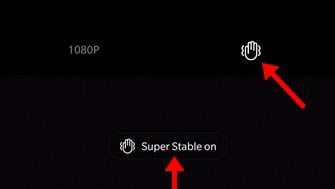
While taking a video, stabilization is the most important thing and thanks to OnePlus 7T to come with all the important elements for that. The smartphone features the Super Stable Mode to capture videos like a pro, and you can enable the feature by opening the video camera and tap on the ‘hand icon‘ which can spot at the right corner.
Utilize Google Lens
Well, I don’t need to explain about the Google Lens, as it is very popular and it helps a lot to get information by just pointing the camera to particular stuff. And the OnePlus 7T is coming with built-in Google Lens and you can use it by simply focusing the camera on something and long press on the screen, it will automatically take you into the Google Lens mode.
Capture Macro Images Like A Boss
The Macro photography becomes the new trend and the OnePlus 7T is coming with the ability to take macro shots, and you can take macro images like a boss. As the smartphone features Super Macro Shots, this will allow capturing the original beauty of nature.
Take Wide-Angle Images
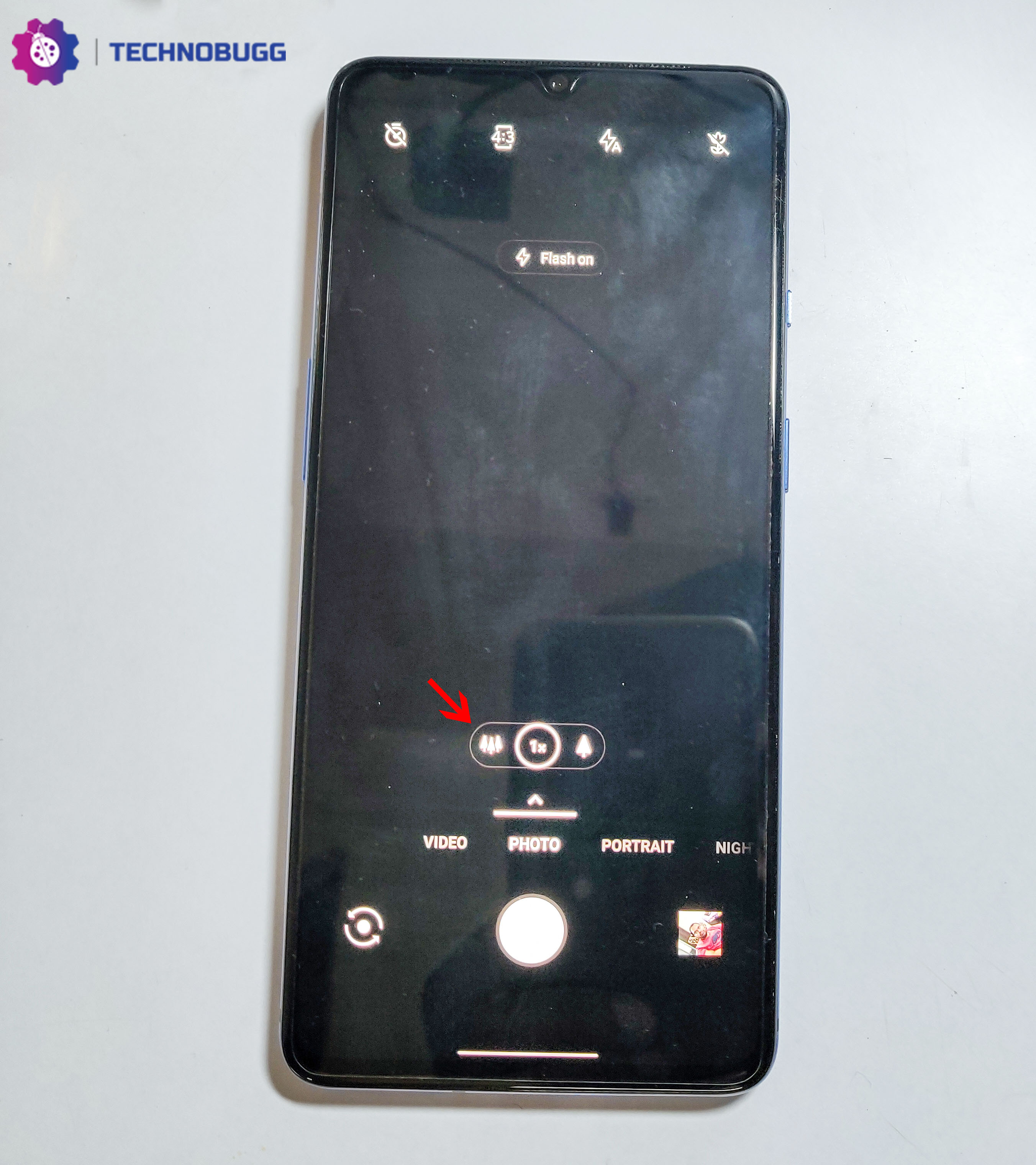
OnePlus 7T offers a 16-megapixel Ultra Wide Angle lens and allows you to capture amazing images, but you need to enable the wide-angle mode by tapping the ‘three tree icon‘ in the camera app.
Use Nightscape Mode
The smartphone comes with the Nightscape Mode which will allow you to take some cool images in the low light atmosphere, and you can enable the mode by opening the camera and slide it to the right side.
So, these are the tricks to capture amazing images and videos via the new OnePlus 7T smartphone. I believe that this guide will help you and if you find any kind of issues then don’t hesitate to ask in the comments section below. Also, you also check out the detailed review of the OnePlus 7T.
Read interesting news, reviews as well as tips & tricks on TechnoBugg website, and stay updated with the latest happenings of the tech world on the go with Technobugg App.

