

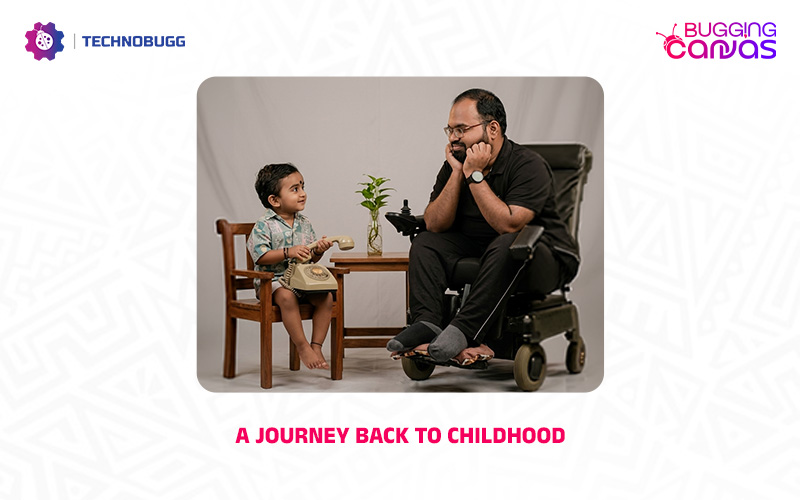
Welcome to the latest installment of Bugging Canvas. Today’s edition is a deeply personal one, and I believe it will resonate with many of you. We all cherish our childhood. It’s the golden days of every individual where we lived without fear, stress, or the weight of the world on our shoulders. A moment to reconnect with that inner child can be a powerful way to recharge and find peace.

Today, I’m excited to guide you through a creative process using advanced AI that will help you to create an image that features both your childhood and present versions together. This process is actually helping you to create a visual representation of your growth and resilience.
So let’s get into the article to check out the step-by-step guide to making this magic happen.

How to Create Your “Past Meets Present” Portrait
You can simply generate the magical image by following the steps. So check out the steps and generate your magical image.
- Open your favorite web browser and visit Google Gemini, or open the official Google Gemini app on your smartphone.
- Now you need to upload two clear images including a photo of yourself as a child and your latest photo.
- Copy and paste the prompt below.
On the left: a child version of me (from a childhood photo) looking with an innocent smile to the right. On the right: A present version of me (from a recent photo) sits with his hands under his chin and looks at the child with a calm smile. In the middle: a simple table. Studio background: plain and soft. The lighting: soft, cinematic, and warm. Style: professional, minimal, and emotional photography, focusing on the feelings and visual communication between the two versions. Make the picture look highly realistic, like a professional photoshoot. Keep my original features unchanged, especially the facial details from the provided photos. Photo size: 4:5.
So what are you waiting for? Generate and share your magical photo with your friends and family. Don’t forget to tag TechnoBugg in your posts. We would love to see your beautiful memories.
Read interesting news, reviews as well as tips & tricks on TechnoBugg website, and stay updated with the latest happenings of the tech world on the go with Technobugg App. Also follow on Google News and join our Telegram channel as well as WhatsApp Channel for the latest updates.


