

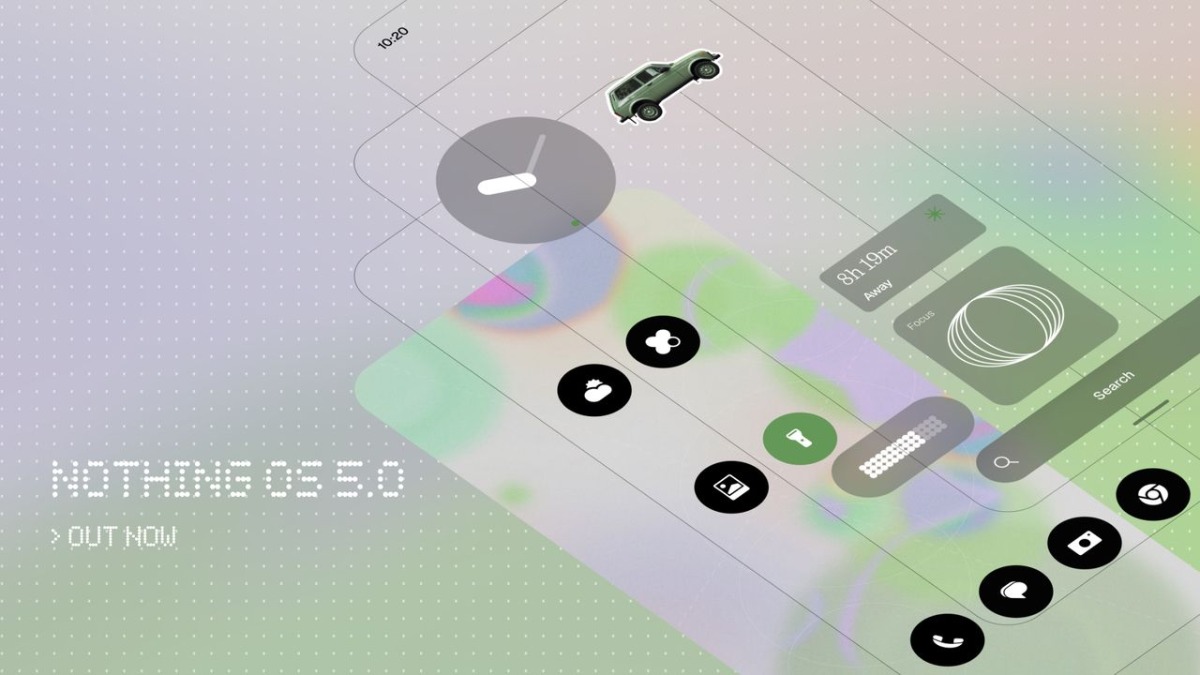
Nothing has officially launched It’s new version of custom skin dubbed the Nothing OS 5.0 and it is based on the Android 17 operating system. It comes with over 80 updates including design changes, new personalisation options, performance enhancements, and AI tools. So let’s get into the article to check out the full details.

Everything about Nothing OS 5.0
The newly announced Nothing OS 5.0 is based on the latest Android 17 operating system and the company has announced that the new custom skin Open Beta version will start rolling out on August 26 (Wednesday), at 3:30 pm IST. The Nothing Phone (3) will be the first smartphone to receive the latest beta update, and the company will be releasing the stable version by the mid of October.
After the Nothing Phone 3, the update will be available for Nothing Phone (4a) Pro by next month which means September 2026. After that, the beta version will be available for the Phone (4a), Phone (3a) Pro, and Phone (3a) in late September. The stable version will be available for the devices in early November. The Nothing Phone (2a) and Phone (2a) Plus will get the beta update in the middle of October, and the stable version will be available by the mid of November.

The Nothing Phone (4b) will also receive the Nothing OS 5.0 beta version in the middle of December and the stable version will be available in the middle of January. The company will also offer the update for the Nothing Phone (3a) Lite and the CMF Phone 2 Pro in late December and the middle of January, respectively.
Nothing is bringing multiple updates in the latest Nothing OS 5.0 including redesigned icons for apps, Settings, Camera, Gallery, and the status bar. Widgets and the search bar have been redesigned to feature transparent details, which is said to add “depth and layering”. The latest Nothing OS 5.0 updates Gallery with similar transparent details. The latest update also brings a new adaptive colour system and the same is capable to manage drawing shades from the Home Screen wallpaper, adding tints to app icons and widgets.
The update is also bringing the Geist typeface, while revising system text size. The latest update features two new lock screen clock faces, namely Gooey and Micrographics. It will also enable you to select and move multiple apps and widgets across the Home Screen at once. The update also brings two new widgets, dubbed Collector and Away Time.
Nothing brings a dedicated app for the Glyph Interface, along with a Glyph Timer widget. The update is also improving the touch response and background app retention, along with enhanced system resource management. We will also feel updates in other system level animations as well. The update has also introduced the Essential Voice tool “faster”, while also improving its performance to deliver better transcriptions. The update has also improved the Essential Space and it gets the Smart Collections feature, which is capable of organising and recommending content for new and existing Collections. The company brings the Essential Apps Builder as a standalone app with the Nothing OS 5.0 update.

Read interesting news, reviews as well as tips & tricks on TechnoBugg website, and stay updated with the latest happenings of the tech world on the go with Technobugg App. Also follow on Google News and join our Telegram channel as well as WhatsApp Channel for the latest updates.

