

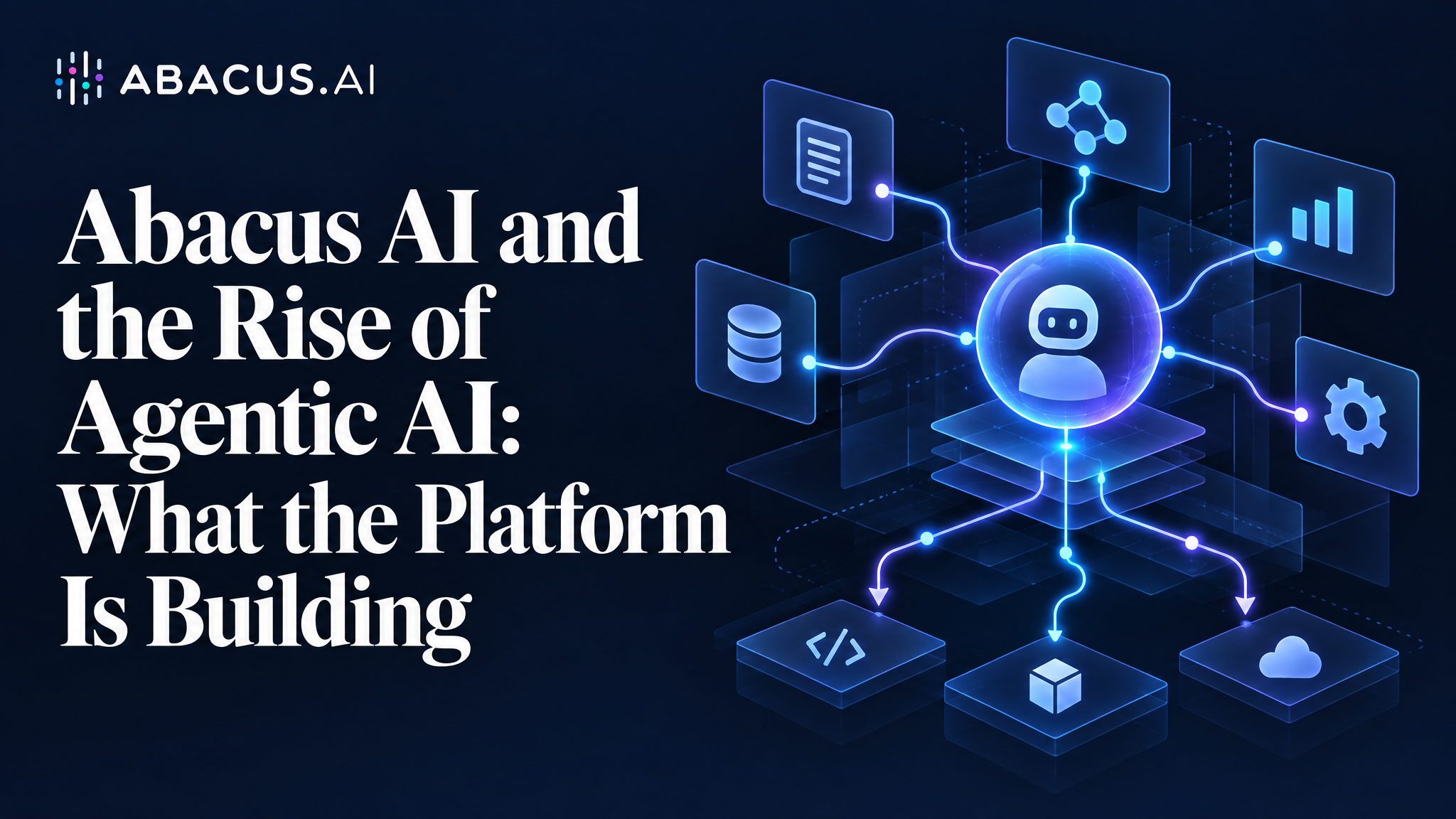
Abacus AI is bringing models, agents, tools, and infrastructure together into a single platform – moving AI beyond the chat box and toward autonomous execution. This is an independent look at what the platform is building, how its agent ecosystem works, and what that means for the people using it.

TL;DR
- What it is: Abacus AI is an AI platform combining access to All popular language models, autonomous agents, creative media tools, a developer coding environment, and enterprise infrastructure – all under one subscription.
- Core focus: Agentic AI – systems that plan, call tools, and execute multi-step tasks rather than simply answering questions.
- Key products: ChatLLM (multi-model AI), Abacus AI Agent (autonomous task agent), Personal AI Agents (Claw and Hermes), AI Studio (media generation), and Abacus AI Desktop (coding agent with CoWork).
- Agent capabilities: Abacus AI Agent can research, analyse data, build and deploy applications, create presentations, and connect to external systems, handling multi-step workflows that would otherwise require manual coordination across tools.
- Best suited for: Developers, researchers, data professionals, content teams, and organisations looking to automate complex, multi-step workflows.
- Key consideration: Agentic systems operating across tools and data sources raise real questions around accuracy, permissions, cost, and human oversight that any evaluation should address directly.
- Bottom line: Abacus AI’s trajectory brings models, agents, tools, infrastructure, and application development together into a single AI ecosystem reflecting the broader industry shift from conversational AI toward agentic execution.
Quick Review
| Category | Summary |
| Platform | Abacus AI |
| Core focus | Agentic AI and autonomous workflows |
| Key products | ChatLLM, Abacus AI Agent (DeepAgent), Personal AI Agents, AI Studio, Abacus AI Desktop |
| Model access | Popular AI models including GPT-6, Claude Opus/Sonnet, Gemini, Grok, DeepSeek, and others |
| Automation | Multi-step autonomous workflows, Agent Swarms, CoWork |
| Development | Full-stack app generation, CLI coding agent, desktop environment |
| Enterprise | SOC-2 Type-2, HIPAA, team collaboration, Slack/GDrive/Confluence integrations |
| Main consideration | Reliability, permissions, data governance, and oversight in autonomous workflows |

Introduction: AI is moving beyond the chat box
For most of the past several years, interacting with AI meant opening a chat window, typing a question, and receiving an answer. The model finished its turn; the user decided what to do next.
That pattern is shifting. Industry analysts, including Gartner — which first named agentic AI a top strategic technology trend in 2025 and has continued to rank it a leading enterprise priority – have identified the move toward AI systems that act rather than respond as one of the most consequential transitions in enterprise software. By late 2026, agentic capabilities have moved from experimental to production for a growing number of teams. Where conversational AI waits for the next prompt, agentic AI sets its own sequence of steps, calls external tools, and returns a finished result.
Abacus AI is one of the platforms building explicitly in this direction. Understanding what it is actually building requires looking past the product list to the architecture underneath.
About Abacus AI
Abacus AI is an AI company whose platform spans AI assistants, autonomous agents, creative media tools, a developer environment, and enterprise integrations. According to its homepage, the platform provides access to popular and trending AI models and describes itself as an “all-in-one AI platform” for professionals and enterprises.
A more precise characterisation is that Abacus AI offers several connected product layers under shared infrastructure and subscription tiers accessible primarily through ChatLLM, which acts as the main interface. The company holds SOC-2 Type-2 and HIPAA compliance certifications. It states that customer data is not used for model training and is encrypted at rest and in transit. Independent verification of security posture is always advisable for organisations with strict data governance requirements.
The company’s stated direction is toward agents that do more than respond: systems that plan, execute, and coordinate across tools, data, and applications.

From AI assistants to AI agents: what changes
The difference between a conversational AI assistant and an agentic system is more than a matter of degree — it changes what the AI is doing on the user’s behalf and how it gets there.
Traditional AI interaction:
User asks → Model generates an answer → User reads → User performs the next step manually.
Agentic AI interaction:
User defines a goal → Agent plans steps → Agent calls tools → Agent executes a sequence → Agent returns a finished result.
The mechanism that makes this possible is tool calling (also called function calling): the ability of a language model to invoke external services – web search, a code interpreter, a file reader, a database query, an API – as part of generating its response. Rather than producing text that describes how to run an analysis, an agent with tool access actually runs it.
The academic framing for this approach – reasoning and acting in tandem – builds on research showing that language models improve significantly when they can interleave reasoning steps with actions on external tools. Abacus AI’s agent products are built on this general principle applied at scale across a large toolkit and multiple underlying models.
A concrete example illustrates what this means practically:
Suppose you ask an agentic system: “Analyse these 500 customer reviews, identify common complaint themes, group them by category, generate supporting charts, and write an executive summary.”
A conversational AI describes how to do it. An agentic system does it – ingesting the reviews, running categorisation, building the charts, and drafting the summary – each step building on the last without the user re-entering the loop.
Abacus AI’s agent ecosystem

Abacus AI’s product line reflects a layered architecture: model access connects to an agentic execution layer, which connects to tools and external systems, running on cloud infrastructure that supports individual and enterprise use.
One feature worth noting in the homepage product grid is Agent Swarms – multi-agent coordination where complex tasks are broken into parallel sub-tasks handled by separate agents simultaneously, then synthesised into a final result. This is distinct from single-agent sequential execution and represents a step toward more sophisticated workflow automation. Rather than evaluating each product in isolation, the value of the Abacus AI platform is largely in how these layers connect.
ChatLLM: Multi-model access and the RouteLLM layer
ChatLLM is Abacus AI’s primary interface. According to the company, it provides access to more than 100 models spanning open-source and proprietary systems, including current-generation releases from OpenAI (GPT-6 variants), Anthropic (Claude Opus and Sonnet), Google (Gemini 3.1 Pro, Gemini 3.5 Flash), xAI (Grok 4.3+), Alibaba (Qwen), DeepSeek, and others. The company states it adds newly released models within 24 to 48 hours of their public availability.
Underpinning this is the RouteLLM API: a unified API endpoint that routes to any supported model, automatically selecting the best option based on the task type or accepting a specific model as a parameter. For developers, this means a single API integration provides flexible access to the entire model catalogue without maintaining separate integrations for each provider.
Beyond model switching, ChatLLM includes document analysis, data analysis with chart generation, image generation, code execution, web search, and integrations with enterprise tools including Slack, Teams, Google Drive, and Confluence. Custom chatbots and AI agents can be created through the platform’s AI Engineer tool. The basic ChatLLM subscription is priced at $10 per user per month.
Abacus AI Agent: From question to finished result
Abacus AI Agent, previously known as DeepAgent, is the platform’s general-purpose autonomous agent. In practice, it can:
- Research a topic by searching the web, reading sources, synthesising findings, and producing structured reports
- Analyse data from uploaded files, building charts and writing executive summaries
- Build and deploy web applications from a plain-language description, writing and configuring code autonomously
- Create presentations and documents from a brief, including formatted slide decks and Word documents
- Connect to external systems – Gmail, Google Workspace, Jira, and third-party services to automate recurring workflows
- Write, debug, and execute code across a range of languages and frameworks
- Run multi-step workflows that combine several of the above in sequence
A useful way to understand the distinction from a conventional assistant is what happens after the initial prompt. Where a conventional assistant stops and waits for the next instruction, Abacus AI Agent continues – moving through research, analysis, synthesis, and output generation without returning to the user at each stage. A request such as “research the competitive landscape for this product and produce a slide deck” involves sequential steps the agent handles end-to-end.
The agent is included in the $10/month subscription, with an unrestricted Pro tier at $20/month.
Tool calling, model orchestration, and agent memory
Three technical concepts are worth understanding briefly, because they explain how Abacus AI’s agents can do more than generate text.
Tool calling is the mechanism: agents invoke external services — a code interpreter, a search engine, a file system, a calendar, an API — as discrete steps within a task. The agent doesn’t describe what could be done; it calls the appropriate tool and incorporates the result into the next step.
Model orchestration is how the right model gets applied to each step. Abacus AI’s RouteLLM layer can route different parts of a workflow to different underlying models — a coding task may invoke a different model than a creative writing task or a data analysis step. This is what the company means when it says its system “uses multiple AI models” to complete complex tasks.
Agent memory determines how context is maintained across time. Short-term memory covers a single session. Persistent memory — used by Hermes and Claw — carries context, preferences, and learned strategies across multiple sessions. Hermes goes further, building what Abacus AI describes as “reusable skills”: successful strategies from completed tasks are stored and applied automatically to similar future tasks, so the agent becomes progressively more efficient at the workflows it runs most often.
Personal AI Agents: Claw and Hermes
Beyond the on-demand Abacus AI Agent, Abacus AI offers two Personal AI Agents designed to operate continuously.
Abacus Claw is described by the company as a cloud-hosted version of OpenClaw, an open-source AI agent framework. Claw runs 24/7 on Abacus AI’s managed infrastructure, connects simultaneously to WhatsApp, Telegram, Discord, and Slack, and maintains persistent memory of past conversations. It can be given a custom personality, name, and response style. The company positions it for users who want a personal assistant always reachable on their preferred messaging channels, without self-hosting infrastructure.
Abacus Hermes is designed for more sophisticated autonomous workflows. Abacus AI describes it as a self-evolving agent that builds persistent memory, generates reusable skills, and improves at specific user workflows over time. Hermes can also check in proactively — hourly, daily, or weekly — and continue executing tasks in the background without requiring the user to re-engage. Seven ready-made agent configurations are available for common use cases.
Both agents are available on the Pro tier at approximately $20 per user per month.
Abacus AI Desktop: CoWork, CLI, and the Listener
Abacus AI Desktop brings the agent execution layer to the user’s local environment across macOS, Windows, and Linux. It combines four modes:
CoWork is the autonomous task mode for knowledge work beyond coding: break down research jobs into parallel sub-tasks, process batches of local documents, generate formatted Excel files with working formulas, create Word documents and PowerPoint decks, and deliver finished outputs directly to the local file system. Abacus AI describes CoWork as able to handle long-running tasks without conversation timeouts or context limits.
CLI is the terminal-based coding agent. According to the company’s product page, Abacus AI Desktop “beats Claude Code and Codex on key benchmarks for coding tasks” — a notable company claim. No benchmark values are published in visible product pages; development teams making direct comparisons should validate this independently.
Chat mode provides access to the same model roster available in ChatLLM — Claude, GPT, Gemini, and others — from the desktop environment.
Listener provides real-time meeting transcription with live AI-powered answers during calls, available on macOS and Windows.
The Desktop is available at the Pro tier ($20/month), which also includes unrestricted access to Abacus AI Agent and CoWork.
AI Studio: Creative AI production
Abacus AI Studio is the platform’s creative media product. According to the company, it provides access to more than 50 image, video, and audio models in a unified chat-style workspace.
Image generation spans GPT Image, FLUX, Seedream, Midjourney, Ideogram, Imagen 4, and Recraft SVG (for scalable vector output). Video generation includes Sora 2, Veo 3.1, Kling AI v3, Seedance 2.0, Hailuo, and Luma Labs. Speech tools support text-to-speech, speech-to-text, and speech-to-speech via ElevenLabs, OpenAI, and Hume.
An Auto mode selects the model most likely to suit each prompt — automatically routing a static scene to an image model and a motion-heavy prompt to a video model. Additional features include reusable AI avatars, image editing (restyle, inpaint, expand, vectorise), an upscaler up to 16x (Magnific), and a timeline video editor with captions, cuts, and transitions.
AI Studio is primarily a creative production tool. For teams that need media assets as part of a larger agentic workflow — generated product images inside an automated content pipeline, for instance — it integrates with the broader platform.
Enterprise AI and workflows
For team and enterprise use, Abacus AI layers collaboration and integration capabilities on top of its agent infrastructure. Teams can share projects, invite members (billed per user), connect to internal systems, and build custom chatbots and agents trained on their own data.
Integrations span Slack, Teams, Confluence, Google Drive, Google Calendar, Gmail, and Jira — which makes the agent layer potentially useful for automating internal workflows rather than only individual tasks. A custom agent trained on internal documentation, or one connected to a project management system for automatic status reporting, represents a meaningfully different deployment model than personal AI use.
The platform holds SOC-2 Type-2 and HIPAA certifications. Abacus AI states that customer data is not used for model training and is encrypted at rest and in transit. Organisations in regulated industries should validate these claims against their own compliance requirements.
Real-world use cases
Full-Stack Application Development (“Vibe-Coding” and Deployment)
User input: A prompt describing a workflow — “Vibe-code a CRM for contact and deal management” or “Build an event-ticket registration site with integrated Stripe payments.”
Agent execution: The agent designs the schema, writes backend business logic, connects databases, integrates third-party APIs (including Stripe), and handles full frontend UI/UX design.
Autonomous output: A fully functional, production-ready web or mobile app running on a live hosted URL with database support and authentication — generated without writing code manually.
Watch Demo: [Stripe Integrated Website / Vibe Code a CRM]
Multi-Agent Swarms for Deep Engineering and Security Review
User input: A single command connecting a repository: “Review our last 10 open PRs for vulnerabilities, missing tests, and logic bugs.”
Agent execution: Rather than running sequentially, an Agent Swarm decomposes the codebase across multiple parallel sub-agents. Each agent audits distinct components, cross-validates edge cases, and drafts verified unit tests.
Autonomous output: Structured code reviews posted directly to the repo, along with newly created pull requests containing automated fixes and test suites.
Watch Demo: [Multi-Agent Code Review]
Autonomous Browser Automation and Scheduled Research
User input: Plain English recurring instructions: “Track competitor pricing daily across five e-commerce portals, capture screenshots of major changes, and update our pricing sheet.”
Agent execution: The agent navigates live dynamic web pages via headless browser control, extracts price changes, logs discrepancies, and writes rows into connected spreadsheets.
Autonomous output: An automated scheduled background daemon that updates Google Sheets or Airtable nightly and delivers actionable email or Slack alerts with visual audit proof.
Watch Demo: [Automated Browser Workflow / E-Commerce Price Watch]
Enterprise Financial Modelling and Market Intelligence
User input: An investment directive: “Conduct parallel equity research on the top 50 S&P 500 companies and build an optimised 10-stock portfolio for moderate 3-year returns.”
Agent execution: Sub-agents simultaneously ingest financial filings (10-Ks, 10-Qs), parse earnings transcripts, analyse sentiment, run Monte Carlo simulations, and compute DCF models.
Autonomous output: An interactive financial intelligence dashboard paired with automated Excel spreadsheets complete with live financial formulas and a defensible valuation summary.
Watch Demo: [Parallelised Equity Research / AI Financial Analyst]
Self-Improving Workflows and Continuous Bug-Fixing
User input: Connecting an active application repo with a mandate: “Monitor our runtime bug tracker 24/7, pinpoint root causes, and prepare safe bug patches.”
Agent execution: Operating as an event-driven self-improving loop, the agent monitors inbound error logs, maps stack traces back to specific commits, writes and runs regression tests in sandbox environments, and iterates based on execution feedback.
Autonomous output: Autonomous issue resolution with zero human downtime, where the system continuously learns repository conventions to produce cleaner fixes over time.
Watch Demo: [Self-Improving Agent That Fixes Bugs]
Executive Presentation and Deck Generation
User input: A topic or strategic brief: “Build a visually compelling, dark-themed investor presentation on the market shift from Cloud to Edge AI.”
Agent execution: The agent conducts technical research, structures a multi-slide narrative arc, produces tailored visual diagrams and infographics, and applies professional design systems.
Autonomous output: A polished, fully editable PowerPoint (.pptx) deck with sourced insights, executive summaries, and bespoke layout styling — ready for stakeholder presentation.
Watch Demo: [From Cloud to Edge / AI Collaboration PPT]
Multimodal Marketing and Lip-Sync Video Production
User input: A product guide or technical article: “Turn this feature release documentation into a 60-second video with an AI presenter explaining key highlights.”
Agent execution: The agent distils core product capabilities into an engaging script, synthesises natural voiceover pacing, and generates a synchronised video presentation with realistic lip-sync movements.
Autonomous output: Ready-to-publish high-definition video assets formatted for social feeds and product marketing pages — without dedicated recording studios or editing teams.
Watch Demo: [AI Marketing Videos (Lip Sync) / Lil’ Einstein Explains]
Document Intelligence and Knowledge RAG Chatbots
User input: An uploaded repository of unstructured PDFs, vendor contracts, or invoices with instructions: “Extract line items, key clause expiration dates, and deploy an internal Q&A bot.”
Agent execution: The agent parses structured and unstructured elements, computes semantic embeddings, indexes internal knowledge bases, and validates extracted numerical values against source files.
Autonomous output: Real-time extraction pipelines syncing directly to CSV/databases alongside an embedded, domain-specific RAG chatbot that answers queries with exact page-level citations.
Watch Demo: [Invoice Processing API / Smart Doc Assistant]
What to consider before using agentic AI
A credible technology analysis requires this section. Agentic systems introduce a specific set of considerations that single-turn AI assistants do not:
- Accuracy: Agents make assumptions during multi-step workflows. An incorrect assumption at step two propagates through every subsequent step; the final output requires more deliberate review than a single answer.
- Reliability: Long workflows can fail at individual steps — particularly when external tools, APIs, or live data are involved. Diagnosing failures mid-workflow requires more effort than troubleshooting a single bad response.
- Permissions: Agents that connect to email, calendars, file systems, or internal APIs require appropriate access controls. Overly broad permissions represent a meaningful security consideration.
- Privacy: Autonomous agents that process sensitive documents or connect to internal systems should be evaluated against your data governance requirements before deployment.
- Cost: Multi-step agentic workflows consume more compute than single queries. High-volume or frequently repeated agentic tasks can become significantly more expensive than their conversational equivalents.
- Human oversight: For decisions with significant consequences — financial transactions, external communications, modifications to production systems — agent-assisted workflows may still require human confirmation at key steps.
- Integration complexity: Connecting AI to existing enterprise systems requires initial configuration, and the reliability of those integrations depends on the stability of third-party services.
- Agent swarm coordination: When parallel sub-agents handle different parts of a task simultaneously, failure in one sub-agent or a conflict between their outputs requires careful synthesis logic. The more parallel the execution, the more critical the coordination layer becomes.
These are not reasons to avoid agentic AI, but they are reasons to evaluate it carefully before deploying it in high-stakes or fully automated contexts.
Who is Abacus AI for?
- Developers will find the most direct value in Abacus AI Desktop (CLI, CoWork, coding benchmarks) and the RouteLLM API for applications that need flexible model access without managing multiple provider integrations separately.
- Researchers and knowledge workers can use Abacus AI Agent for multi-step research, document analysis, and structured report generation — tasks that typically require switching between multiple tools.
- Data professionals can connect datasets, run analysis, generate visualisations, and produce executive summaries through agentic workflows that coordinate steps previously requiring separate tooling.
- Content and creative teams can use AI Studio for image and video production alongside ChatLLM for drafting, editing, and research at scale.
- Product and startup teams can use Abacus AI Agent to build and deploy working web application prototypes from plain-language descriptions — including connecting them to databases and deploying them publicly.
- Enterprise teams can connect AI agents to Slack, Google Drive, Jira, and Gmail to automate recurring workflows, with compliance certifications that may be relevant to regulated industries.
Who should consider other options?
Users who primarily need a capable AI assistant for conversational question-answering, document summarisation, or occasional creative generation will find those capabilities in a range of more focused platforms.
Abacus AI’s platform offers substantially more than a single-purpose assistant, but that breadth introduces complexity. An individual user who only needs reliable conversational AI for occasional tasks may find a more focused tool a better fit for their workflow and budget.
The platform’s value is most apparent for users whose work regularly involves multi-step task execution, system integration, or workflow automation that conventional AI assistants handle poorly.
Frequently asked questions
What is Abacus AI?
Abacus AI is an AI platform offering a multi-model AI interface (ChatLLM), autonomous agents (Abacus AI Agent, Hermes, Claw), a media generation tool (AI Studio), and a coding and local agent environment (Abacus AI Desktop). Its stated focus is agentic AI: systems that plan and execute multi-step tasks autonomously rather than responding to single questions.
What is Abacus AI used for?
The platform covers research, data analysis, writing, coding, application development, image and video generation, presentation creation, meeting transcription, and automated multi-step workflows. The connecting theme across products is that many of these tasks can be handled through agent-driven automation rather than manual execution.
What is Abacus AI Agent (DeepAgent)?
Abacus AI Agent, previously known as DeepAgent, is the company’s general-purpose autonomous agent. It can research topics, analyse datasets, write and deploy full-stack web applications, create presentations, and connect to external services including Gmail, Google Workspace, and Jira — handling these as a coordinated sequence rather than isolated steps.
How does Abacus AI differ from a traditional AI chatbot?
A traditional AI chatbot generates a response and stops. Abacus AI Agent takes a goal, plans a sequence of steps, calls external tools, executes them, and returns a finished result. The underlying mechanism is tool calling — the ability of a language model to invoke external services as part of task execution — combined with model orchestration that routes different steps to the most appropriate underlying model.
Is Abacus AI designed for enterprise use?
The platform holds SOC-2 Type-2 and HIPAA certifications and includes team collaboration, custom agent creation, and integrations with enterprise tools including Slack, Teams, Google Drive, Confluence, and Jira. Whether these meet specific enterprise security or compliance requirements depends on each organisation’s policies and their own due diligence on the platform’s security documentation.
Conclusion
Abacus AI’s platform reflects a clear thesis: that the most valuable AI infrastructure over the next several years will be agentic rather than conversational. Rather than optimising a single model or a single interface, the company is assembling an ecosystem – models, tool calling, agent orchestration, persistent agent memory, parallel multi-agent execution (Agent Swarms), creative tooling, a coding environment, and enterprise integrations designed to execute work autonomously.
The combination of model access (ChatLLM), task-executing agents (Abacus AI Agent), continuously running personal agents (Claw and Hermes), creative production (AI Studio), and local developer workflows (Desktop and CoWork) positions Abacus AI closer to an AI operating environment than a conventional chatbot.
The honest qualifier is that agentic AI in every platform that offers it remains a category with real reliability, accuracy, and oversight questions that single-turn AI does not create. Multi-step autonomous workflows require more deliberate setup, review, and error-handling than a well-prompted chat session.
Whether the agentic model is useful depends on what you need to automate. For work that routinely involves complex, multi-step tasks requiring coordination across tools and systems, it represents a material improvement over single-turn AI. For simpler, lower-stakes AI use, the additional complexity may not be necessary. The agentic AI category is moving quickly; any evaluation today is a snapshot. The more durable question is whether the shift — from AI that answers to AI that acts – fits how you work.
Explore Abacus AI and Its Products.


