

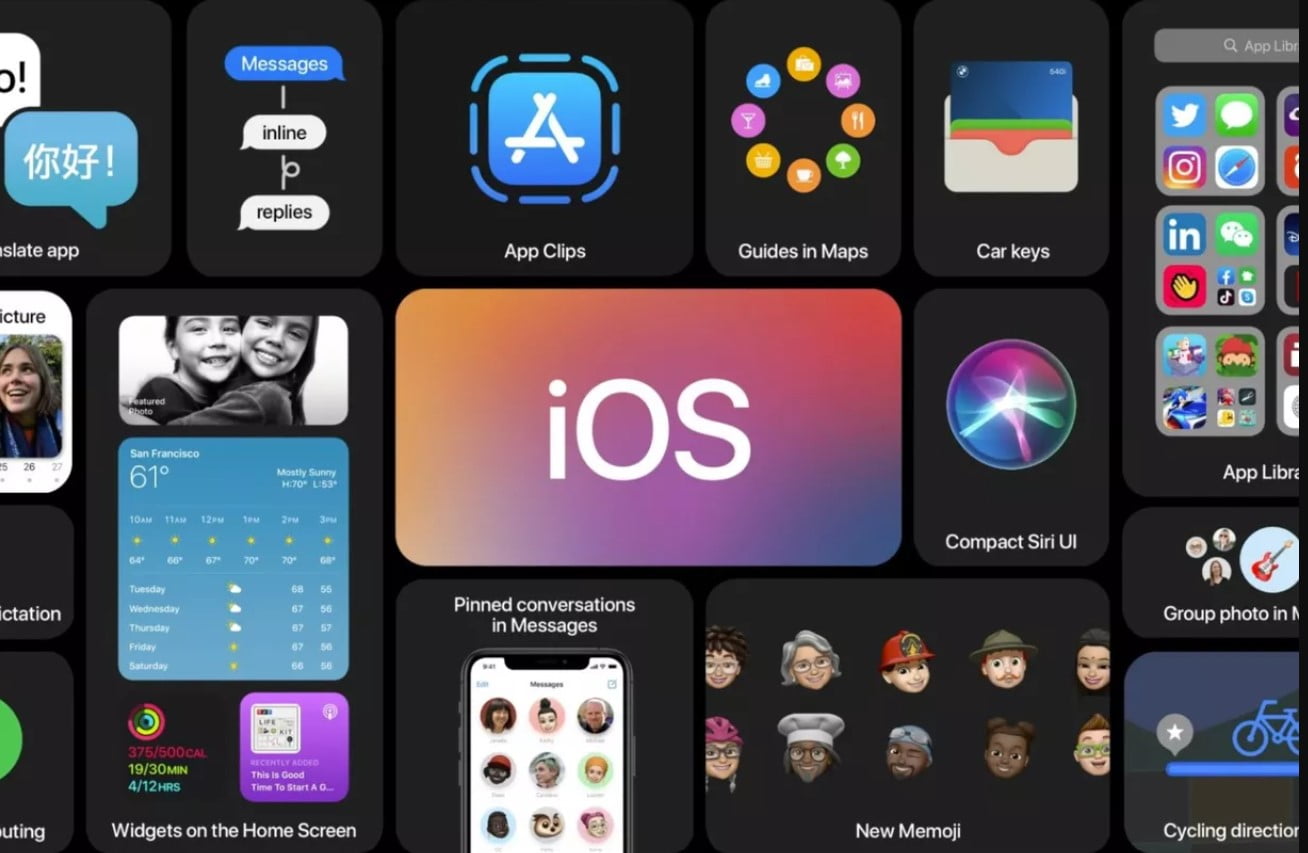
The Cupertino giant, Apple has kicked off WWDC 2020 and its time for the company’s most awaited launches and demos with software. In contrary to the previous launch events, Apple has limited its WWDC 2020 event to a recorded stream. Marking the beginning of the event, we have iOS 14 for the iPhones. Without wasting any more of your time, let us check out what new features Apple has included in its latest version of iOS – iOS 14.

Home Screen Widgets

Apple has finally caved in and introduced home screen widgets on iOS 14. Yes, its the same function that Android users been using for ages. With the home screen widgets, iPhone users can arrange the essential interactive shortcuts right on their home screen. With home screen widgets, you can see your activity data from your Apple watch on the home screen. This helps you to glace through your heart rate, calories burned, etc without going into the app. It also helps you see the music currently playing on your iPhone or understand the weather without going into the app. Widgets open a whole new possibility to iPhone users to extend the functionality of the iPhone even more. In the coming days, you can expect more app developers to add widget support for their apps making the feature even more useful.
Picture in Picture

Following the widgets, we have a Picture in Picture which gets introduced in iOS 14. What it does is, it allows users to watch videos in a resizable rectangle box which only takes a portion of your screen In this way a person who wishes to chat in messaging applications like iMessage or Whatsapp can do so without interrupting the video. You must know that the video continues its playback inside any apps and not just the messaging apps. The video will continue to play in the foreground in a small box. The viewing experience can be tweaked according to your preference and move the video to any place you like so it does not block your view.

Siri and Translate App

Apple’s own Voice Assistant, Siri gets redesigned with new animations and features. With iOS 14, when Siri is summoned, it will appear in an all-new glowing avatar. Now the voice assistant will pop up on the current page the user is in and will not use a dedicated area. It now allows users to share audio using the newly found abilities.

Apple has introduced a dedicated app for the translation of languages. It helps you translate audios and text into the language you desire. As of now, the translate app supports 14 apps with more to come in the near future. Translate is a part of Siri and it now supports offline translation. In addition, the translate app in iOS 14 works in the landscape mode too.
App Library

This feature seems like a page straight from the Android book. As the name suggests the App Library is the collection of apps arranged in a vertical fashion. With the App Library, users can scroll through all of the installed apps. This mode does not replace the infamous vertical array of apps rather acts as an option to choose from. The App Library also has search option, which can be handy if you are trying to find the app you are looking for in a haste.
Now we have a new call UI that sits at the top of your screen, as a notification when the user is already using an app. In this way, the incoming call will not interrupt your task and you can choose to accept or dismiss the call without the pop-up taking the whole of your screen Among these main features, In addition, the Animojis are getting face masks as well. As usual, Apple has done quite a lot of work under the hood to optimize the user experience too.
With iOS 14, the Operating System for the iPhone is getting more mature and brings in a ton of changes. With the new feature, Apple aims to bring even more refinement into the user experience. Which feature in the new iOS 14 got your attention? Let us know in the comments below.

Read interesting news, reviews as well as tips & tricks on TechnoBugg website, and stay updated with the latest happenings of the tech world on the go with Technobugg App.

