

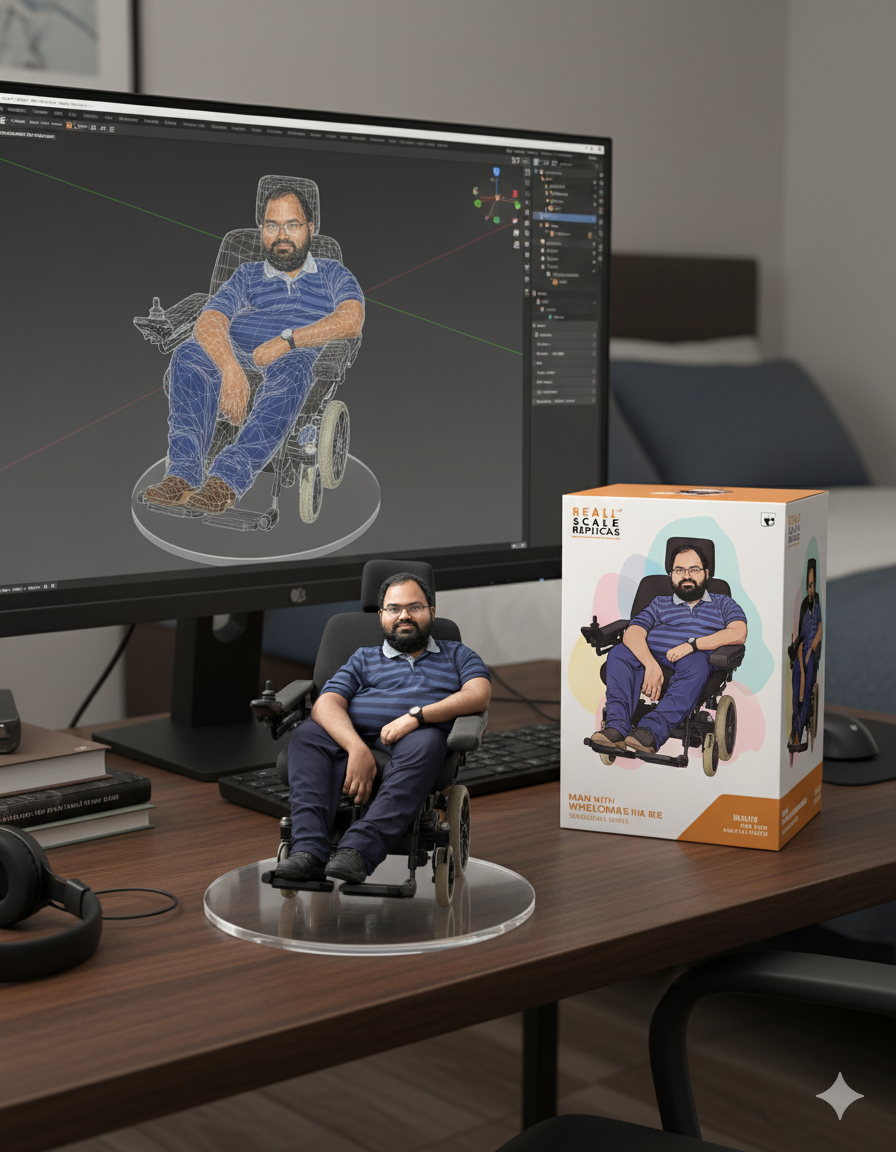
If you open social media platforms, you will see the flood of 3D figure images. It is actually the power of Google AI. You can be able to create a 3D AI figure with Gemini and the same is available for free of cost. Today I will guide you the way to create your perfect 3D AI figure with Gemini. So let’s get into the article to check out the step by step guide.

Steps to create 3D figure with Gemini
It is very simple and easy to create a 3D figure with Gemini and you can follow the steps that are listed below.
First of all, you need to open your favourite Browser on computer.
Now you need to visit Google Gemini.
You need to select the option called create images.
After that, upload your photo.
If you can imagine then simply enter the prompt otherwise you can simply copy paste the prompt which is written below.

Create a 1/7 scale commercialized figurine of the characters in the picture, in a realistic style, in a real environment. The figurine is placed on a computer desk. The figurine has a round transparent acrylic base, with no text on the base. The content on the computer screen is a 3D modeling process of this figurine. Next to the computer screen is a toy packaging box, designed in a style reminiscent of high-quality collectible figures, printed with original artwork. The packaging features two-dimensional flat illustrations.
That’s it, now you can be able to download the newly generated 3D figure. So start making your favourite photos into a 3D figure and share the image on your social media handles.
Read interesting news, reviews as well as tips & tricks on TechnoBugg website, and stay updated with the latest happenings of the tech world on the go with Technobugg App. Also follow on Google News and join our Telegram channel as well as WhatsApp Channel for the latest updates.


