


The world’s most favourite instant messaging application of the planet WhatsApp rolled out Status feature last week, and it is really awesome to use and cool. The Status feature allows you to update a photo, video, GIF and it will disappear after 24 hours.


But if you want to see the status of your dear and near one again, after it disappeared. Then after reading this article you will be happy, today I will show you how to view the status after a period of 24 hours.
To view status after it disappears, you have to follow the following steps:
- Download any file manager from Google Play Store on your device.
- Open the file manager and go to internal storage.
- Select WhatsApp folder.
- Now open Media folder.
- You will see a folder called Statuses.
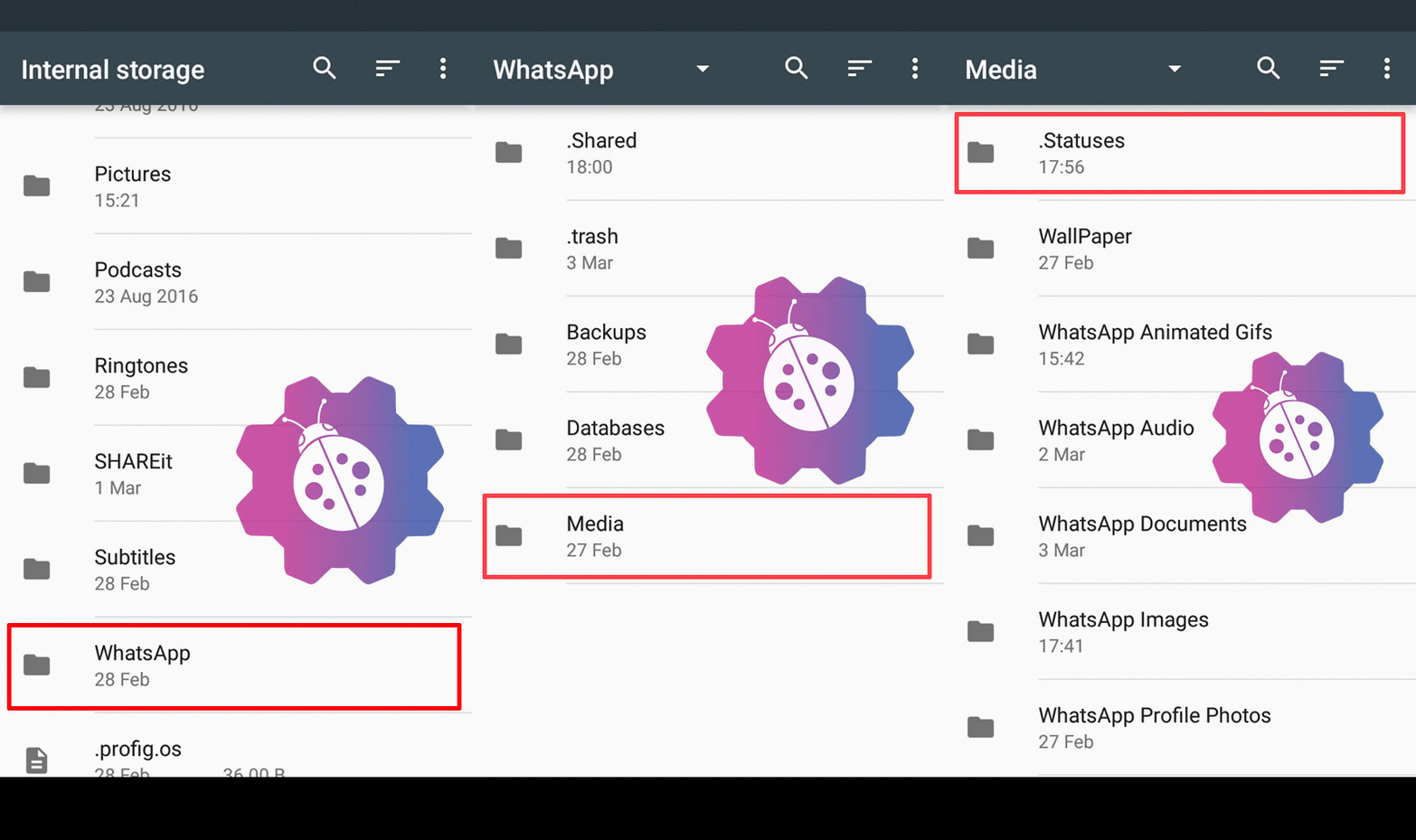
That’s it, now you can see all the stories which you have viewed on your device. It is a small trick but it comes really handy in certain situations, share this tricks with your friends and family members too.
Also check out our article on How to get WhatsApp chat heads for Android. And much other interesting news and tips & tricks on our website.

Read interesting news, reviews as well as tips & tricks on TechnoBugg website, and stay updated with the latest happenings of the tech world on the go with Technobugg App. Also follow on Google News and join our Telegram channel for the latest updates.


1,327 Comments
viagra gel online
effexor xr 300 mg
buy stromectol uk
celexa cost usa
india tadalafil
discount cialis online canada
tadalafil 6mg capsule
where to buy cialis without a prescription
where can you get cialis
canadian cialis order
buy cialis 5mg online canada
sildenafil online nz
cheap generic cialis online
sildenafil 100mg generic mexico
can i buy sildenafil citrate