

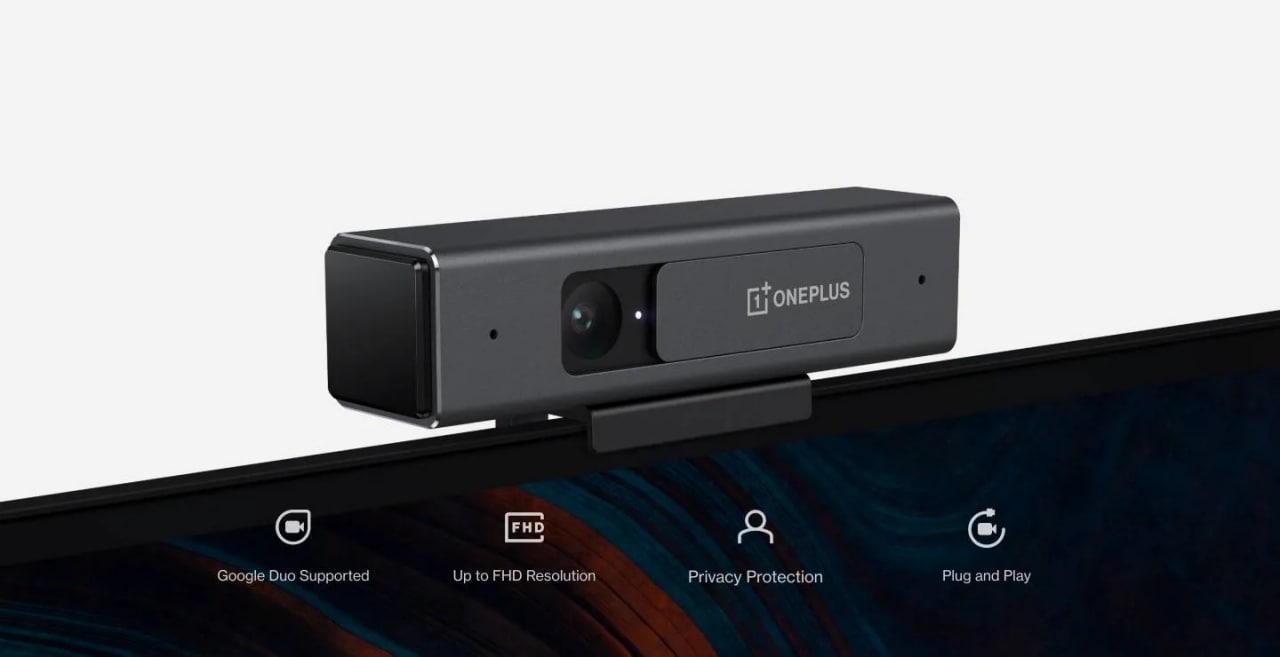
Key Points:
- The device will work with Google Duo.
- It is a plug and play device.
- The device is coming with an affordable price tag.
Alongside the OnePlus Nord CE 5G and the OnePlus TV U1S series at the brand’s Summer Launch Event, the company unveiled its first webcam called OnePlus TV Camera. It is a Plug and Play device and you need to purchase it separately. So let’s dive into the article and check out everything which you need to know about the latest product of the company.

Specifications and features of OnePlus TV Camera
The device is meant for the users who love to make video calls as it will enable you to make video calls with your near and dear ones on the big screen and it is coming with plug and play setup which means you just need to place and connect to go.
You guys can able to place the accessory on the top of the television through its magnetic holder and the device can be connected using a USB cable. The brand new camera of the company also comes with a manual shutter for privacy and that is something very useful.

The OnePlus TV Camera also features dual microphones and a noise cancellation algorithm which is meant for background noise cancellation. Moreover, it supports 1080 pixels resolution and the device can also capture photos and videos, the captured photos and videos can be shared on your smartphone via the Camera app on OnePlus TVs. It is worth mentioning that this particular application will be available on OnePlus U and Q TV series via the OTA update.
List of smart TVs with support OnePlus TV Camera
The newly announced OnePlus TV Camera is not supported on all the smart televisions of the company, as it is not compatible with the OnePlus TV Y-series. Check out the list of supported models below:
- OnePlus TV U series 55 U1
- OnePlus TV Q1 series 55Q1 Pro
- OnePlus TV Q1 series 55Q1
- OnePlus TV U series 50 U1S
- OnePlus TV U series 55 U1S
- OnePlus TV U Series 65 U1S
How to set up OnePlus TV Camera on the supported devices
The procedure of setting up the device is pretty straightforward and you guys can follow the steps below.
- First of all, you need to open the Play Store on your OnePlus TV.
- Then you need to find and install Google Duo.
- Now you need to link the application with your OnePlus TV Camera.
- After that, provide the needful permissions to the Duo application.
- Now you need to log in to your Google account and start video calling on the big screen.
Pricing and availability
It is coming with a price tag of ₹2,499 and the device can be purchased from the official OnePlus website.
Read interesting news, reviews as well as tips & tricks on TechnoBugg website, and stay updated with the latest happenings of the tech world on the go with Technobugg App. Also follow on Google News and join our Telegram channel for the latest updates.


132 Comments
Real instructive and fantastic body structure of subject material, now that’s user friendly (:.
I conceive this web site has got some real excellent information for everyone :D. “When you get a thing the way you want it, leave it alone.” by Sir Winston Leonard Spenser Churchill.
You have brought up a very wonderful details , regards for the post.
Keep functioning ,impressive job!
great post.Ne’er knew this, thanks for letting me know.
Can I just say what a relief to find someone who actually knows what theyre talking about on the internet. You definitely know how to bring an issue to light and make it important. More people need to read this and understand this side of the story. I cant believe youre not more popular because you definitely have the gift.
Great site! I am loving it!! Will be back later to read some more. I am bookmarking your feeds also.
modafinil moa – provigil for adhd a modafinil prescription
hi!,I love your writing very so much! percentage we keep up a correspondence extra about your article on AOL? I require an expert in this area to resolve my problem. May be that is you! Taking a look forward to look you.
I must convey my passion for your kind-heartedness giving support to women who must have guidance on that situation. Your very own commitment to getting the message up and down turned out to be exceptionally insightful and have truly allowed professionals much like me to achieve their desired goals. Your personal valuable guide denotes a whole lot to me and additionally to my peers. Regards; from all of us.
An impressive share, I just given this onto a colleague who was doing a little analysis on this. And he in fact bought me breakfast because I found it for him.. smile. So let me reword that: Thnx for the treat! But yeah Thnkx for spending the time to discuss this, I feel strongly about it and love reading more on this topic. If possible, as you become expertise, would you mind updating your blog with more details? It is highly helpful for me. Big thumb up for this blog post!
Hello there! Do you know if they make any plugins to help with SEO? I’m trying to get my blog to rank for some targeted keywords but I’m not seeing very good success. If you know of any please share. Thank you!
Sweet website , super pattern, rattling clean and employ genial.
Hi my family member! I want to say that this post is amazing, nice written and come with approximately all important infos. I’d like to look extra posts like this.
I precisely needed to appreciate you again. I’m not certain what I would have carried out in the absence of these tactics documented by you over my situation. Certainly was a very horrifying problem for me personally, however , encountering a expert fashion you managed that took me to cry over fulfillment. Now i’m happier for your information and trust you really know what a great job that you’re putting in educating others through the use of a site. I am certain you have never encountered any of us.