


The most popular
photo sharing app Instagram now allows to sign-in with multiple accounts, with
the latest update. Here’s the complete guide.
photo sharing app Instagram now allows to sign-in with multiple accounts, with
the latest update. Here’s the complete guide.

·
First of all,
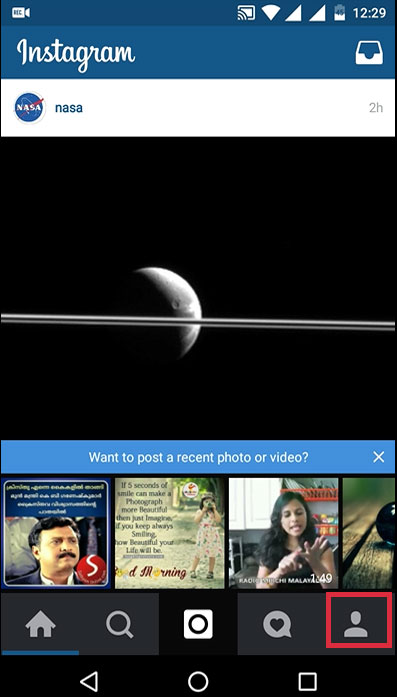
you have to update Instagram app. Open Instagram and select profile icon.
First of all,
you have to update Instagram app. Open Instagram and select profile icon.
·
Tap on
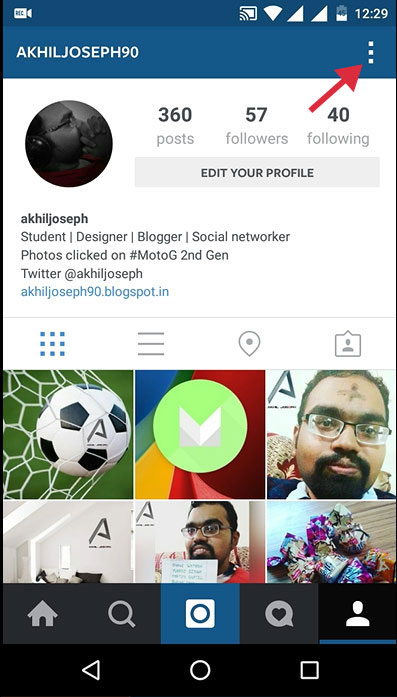
the three dots.
Tap on
the three dots.
·
Scroll up
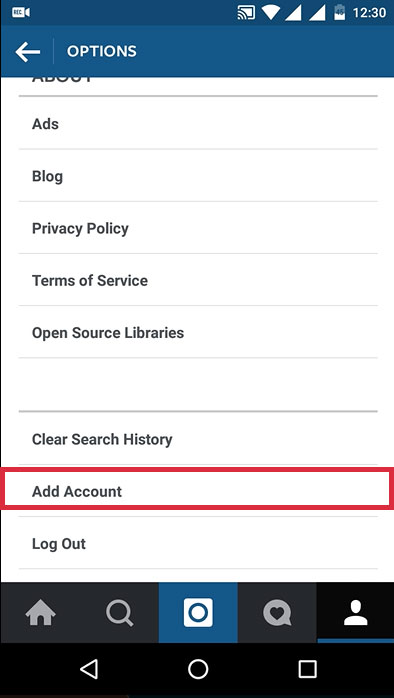
and find the option ‘Add Account’.
Scroll up
and find the option ‘Add Account’.
·
Now login
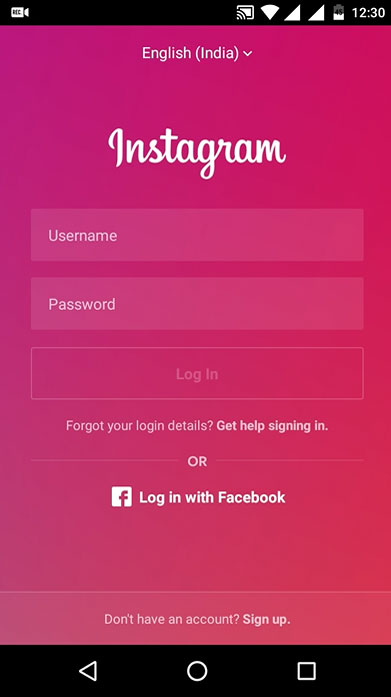
with your Username and Password.
Now login
with your Username and Password.
·
Here you
can switch between your two accounts by tapping on Username (top left corner)
Here you
can switch between your two accounts by tapping on Username (top left corner)

Thanks for reading this blog.
Cheers!!!


