

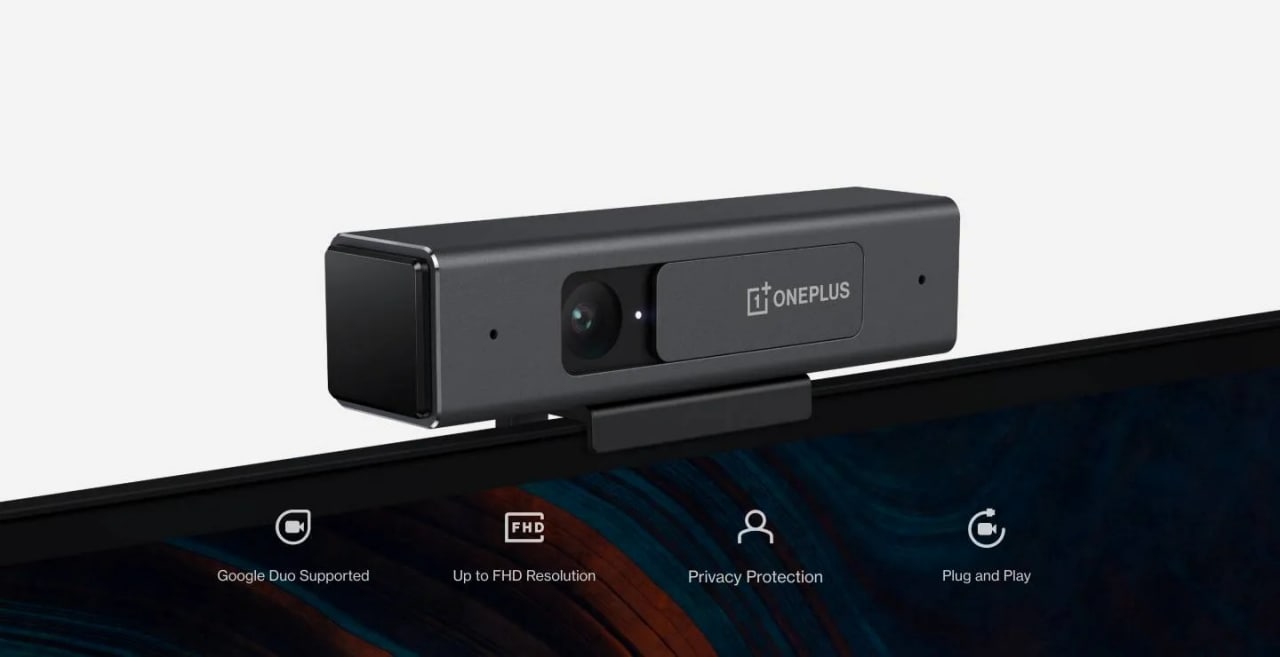
Key Points:
- The device will work with Google Duo.
- It is a plug and play device.
- The device is coming with an affordable price tag.
Alongside the OnePlus Nord CE 5G and the OnePlus TV U1S series at the brand’s Summer Launch Event, the company unveiled its first webcam called OnePlus TV Camera. It is a Plug and Play device and you need to purchase it separately. So let’s dive into the article and check out everything which you need to know about the latest product of the company.

Specifications and features of OnePlus TV Camera
The device is meant for the users who love to make video calls as it will enable you to make video calls with your near and dear ones on the big screen and it is coming with plug and play setup which means you just need to place and connect to go.
You guys can able to place the accessory on the top of the television through its magnetic holder and the device can be connected using a USB cable. The brand new camera of the company also comes with a manual shutter for privacy and that is something very useful.

The OnePlus TV Camera also features dual microphones and a noise cancellation algorithm which is meant for background noise cancellation. Moreover, it supports 1080 pixels resolution and the device can also capture photos and videos, the captured photos and videos can be shared on your smartphone via the Camera app on OnePlus TVs. It is worth mentioning that this particular application will be available on OnePlus U and Q TV series via the OTA update.
List of smart TVs with support OnePlus TV Camera
The newly announced OnePlus TV Camera is not supported on all the smart televisions of the company, as it is not compatible with the OnePlus TV Y-series. Check out the list of supported models below:
- OnePlus TV U series 55 U1
- OnePlus TV Q1 series 55Q1 Pro
- OnePlus TV Q1 series 55Q1
- OnePlus TV U series 50 U1S
- OnePlus TV U series 55 U1S
- OnePlus TV U Series 65 U1S
How to set up OnePlus TV Camera on the supported devices
The procedure of setting up the device is pretty straightforward and you guys can follow the steps below.
- First of all, you need to open the Play Store on your OnePlus TV.
- Then you need to find and install Google Duo.
- Now you need to link the application with your OnePlus TV Camera.
- After that, provide the needful permissions to the Duo application.
- Now you need to log in to your Google account and start video calling on the big screen.
Pricing and availability
It is coming with a price tag of ₹2,499 and the device can be purchased from the official OnePlus website.

Read interesting news, reviews as well as tips & tricks on TechnoBugg website, and stay updated with the latest happenings of the tech world on the go with Technobugg App. Also follow on Google News and join our Telegram channel for the latest updates.


132 Comments
Good – I should certainly pronounce, impressed with your site. I had no trouble navigating through all the tabs and related info ended up being truly simple to do to access. I recently found what I hoped for before you know it at all. Reasonably unusual. Is likely to appreciate it for those who add forums or something, site theme . a tones way for your customer to communicate. Excellent task..
I’ll immediately clutch your rss as I can not to find your email subscription link or newsletter service. Do you’ve any? Kindly let me understand in order that I may just subscribe. Thanks.
Good write-up, I’m regular visitor of one’s blog, maintain up the nice operate, and It’s going to be a regular visitor for a long time.
I have been surfing online greater than 3 hours nowadays, yet I by no means discovered any interesting article like yours. It’s lovely price sufficient for me. In my view, if all web owners and bloggers made excellent content as you probably did, the web can be much more useful than ever before.
I was reading through some of your blog posts on this internet site and I think this site is real informative ! Retain posting.
I loved as much as you’ll receive carried out right here. The sketch is attractive, your authored subject matter stylish. nonetheless, you command get got an edginess over that you wish be delivering the following. unwell unquestionably come more formerly again as exactly the same nearly very often inside case you shield this increase.
viagra from india – sildenafil citrate pfizer female viagra pill buy online
Real clean site, appreciate it for this post.
Magnificent goods from you, man. I’ve understand your stuff previous to and you are just too excellent. I really like what you’ve acquired here, really like what you are saying and the way in which you say it. You make it entertaining and you still care for to keep it sensible. I cant wait to read far more from you. This is really a great website.
There are some fascinating time limits in this article but I don’t know if I see all of them middle to heart. There may be some validity but I’ll take maintain opinion until I look into it further. Good article , thanks and we want more! Added to FeedBurner as well
Thank you for some other informative website. Where else could I am getting that kind of info written in such a perfect method? I have a undertaking that I am simply now working on, and I have been at the look out for such information.
Lovely just what I was searching for.Thanks to the author for taking his time on this one.
Howdy this is somewhat of off topic but I was wondering if blogs use WYSIWYG editors or if you have to manually code with HTML. I’m starting a blog soon but have no coding skills so I wanted to get guidance from someone with experience. Any help would be enormously appreciated!
mypharmacy – cialis 40 mg europe buy cialis daily online
buy liquid ivermectin – ivermectin 9mg ivermectin 1 cream