

Key Points:
- The device will work with Google Duo.
- It is a plug and play device.
- The device is coming with an affordable price tag.
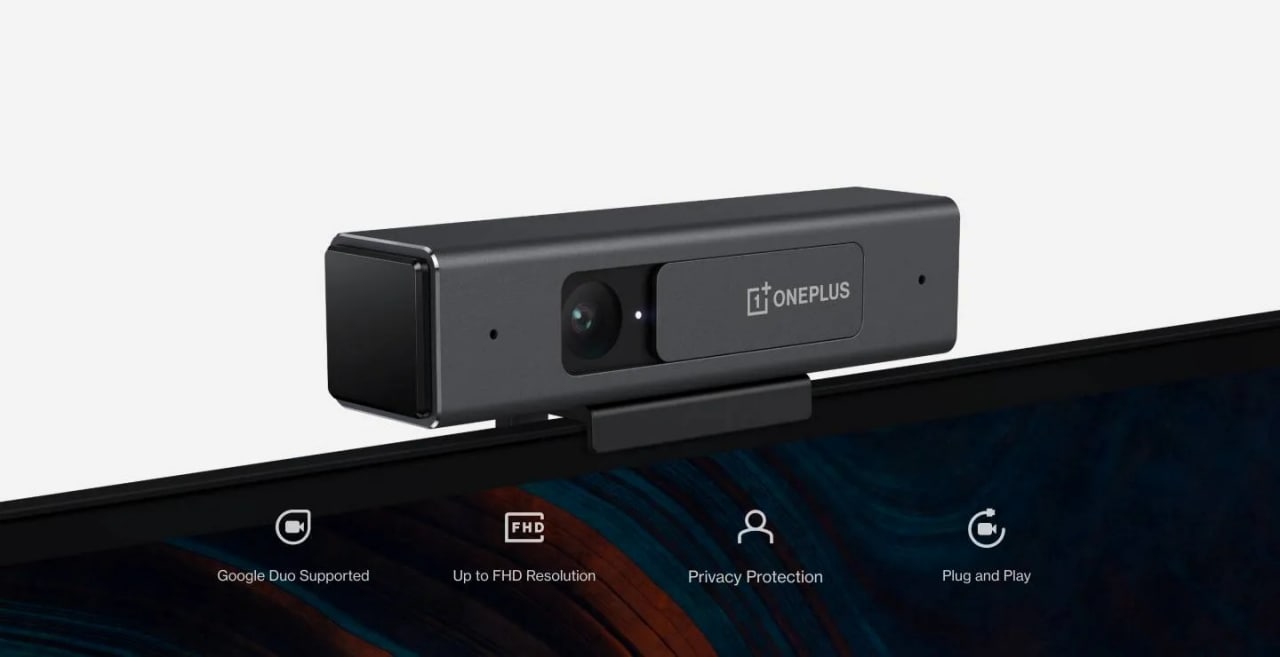
Alongside the OnePlus Nord CE 5G and the OnePlus TV U1S series at the brand’s Summer Launch Event, the company unveiled its first webcam called OnePlus TV Camera. It is a Plug and Play device and you need to purchase it separately. So let’s dive into the article and check out everything which you need to know about the latest product of the company.

Specifications and features of OnePlus TV Camera
The device is meant for the users who love to make video calls as it will enable you to make video calls with your near and dear ones on the big screen and it is coming with plug and play setup which means you just need to place and connect to go.
You guys can able to place the accessory on the top of the television through its magnetic holder and the device can be connected using a USB cable. The brand new camera of the company also comes with a manual shutter for privacy and that is something very useful.

The OnePlus TV Camera also features dual microphones and a noise cancellation algorithm which is meant for background noise cancellation. Moreover, it supports 1080 pixels resolution and the device can also capture photos and videos, the captured photos and videos can be shared on your smartphone via the Camera app on OnePlus TVs. It is worth mentioning that this particular application will be available on OnePlus U and Q TV series via the OTA update.
List of smart TVs with support OnePlus TV Camera
The newly announced OnePlus TV Camera is not supported on all the smart televisions of the company, as it is not compatible with the OnePlus TV Y-series. Check out the list of supported models below:
- OnePlus TV U series 55 U1
- OnePlus TV Q1 series 55Q1 Pro
- OnePlus TV Q1 series 55Q1
- OnePlus TV U series 50 U1S
- OnePlus TV U series 55 U1S
- OnePlus TV U Series 65 U1S
How to set up OnePlus TV Camera on the supported devices
The procedure of setting up the device is pretty straightforward and you guys can follow the steps below.
- First of all, you need to open the Play Store on your OnePlus TV.
- Then you need to find and install Google Duo.
- Now you need to link the application with your OnePlus TV Camera.
- After that, provide the needful permissions to the Duo application.
- Now you need to log in to your Google account and start video calling on the big screen.
Pricing and availability
It is coming with a price tag of ₹2,499 and the device can be purchased from the official OnePlus website.

Read interesting news, reviews as well as tips & tricks on TechnoBugg website, and stay updated with the latest happenings of the tech world on the go with Technobugg App. Also follow on Google News and join our Telegram channel for the latest updates.


132 Comments
You actually make it seem so easy with your presentation but I find this topic to be actually something that I think I would never understand. It seems too complex and extremely broad for me. I’m looking forward for your next post, I’ll try to get the hang of it!
I went over this site and I think you have a lot of wonderful information, saved to favorites (:.
Only wanna input on few general things, The website style and design is perfect, the subject material is really good. “I delight in men over seventy. They always offer one the devotion of a lifetime.” by Oscar Fingall O’Flahertie Wills Wilde.
I went over this internet site and I conceive you have a lot of good info , saved to favorites (:.
buy clomid online – clomiphene 50mg clomiphene tablets
I wanted to send you this tiny note to finally say thanks as before about the unique solutions you have shared at this time. It’s surprisingly open-handed with people like you to convey publicly what many of us would’ve distributed for an e-book to generate some dough on their own, certainly considering the fact that you might have done it if you ever wanted. Those techniques in addition served as the fantastic way to recognize that other individuals have a similar eagerness really like my personal own to know very much more with regards to this problem. I am certain there are lots of more enjoyable opportunities ahead for individuals that scan your website.
you have a great blog here! would you like to make some invite posts on my blog?
you’re in point of fact a good webmaster. The website loading pace is incredible. It seems that you’re doing any unique trick. Also, The contents are masterpiece. you’ve done a wonderful task in this topic!
excellent points altogether, you simply won a brand new reader. What may you recommend about your post that you made a few days ago? Any sure?
I was examining some of your blog posts on this website and I think this web site is very instructive! Keep posting.
he blog was how do i say it… relevant, finally something that helped me. Thanks
What’s Happening i am new to this, I stumbled upon this I have found It positively helpful and it has aided me out loads. I hope to contribute & help other users like its helped me. Great job.
This really answered my drawback, thanks!
I?¦ve been exploring for a little bit for any high quality articles or weblog posts on this sort of area . Exploring in Yahoo I finally stumbled upon this web site. Reading this information So i am satisfied to exhibit that I’ve an incredibly just right uncanny feeling I found out exactly what I needed. I most no doubt will make sure to do not omit this website and give it a look on a continuing basis.
Its like you learn my thoughts! You seem to know so much approximately this, like you wrote the e-book in it or something. I think that you can do with some to power the message home a little bit, however instead of that, this is great blog. An excellent read. I will certainly be back.